Date: 2026.07.14 Click: 5
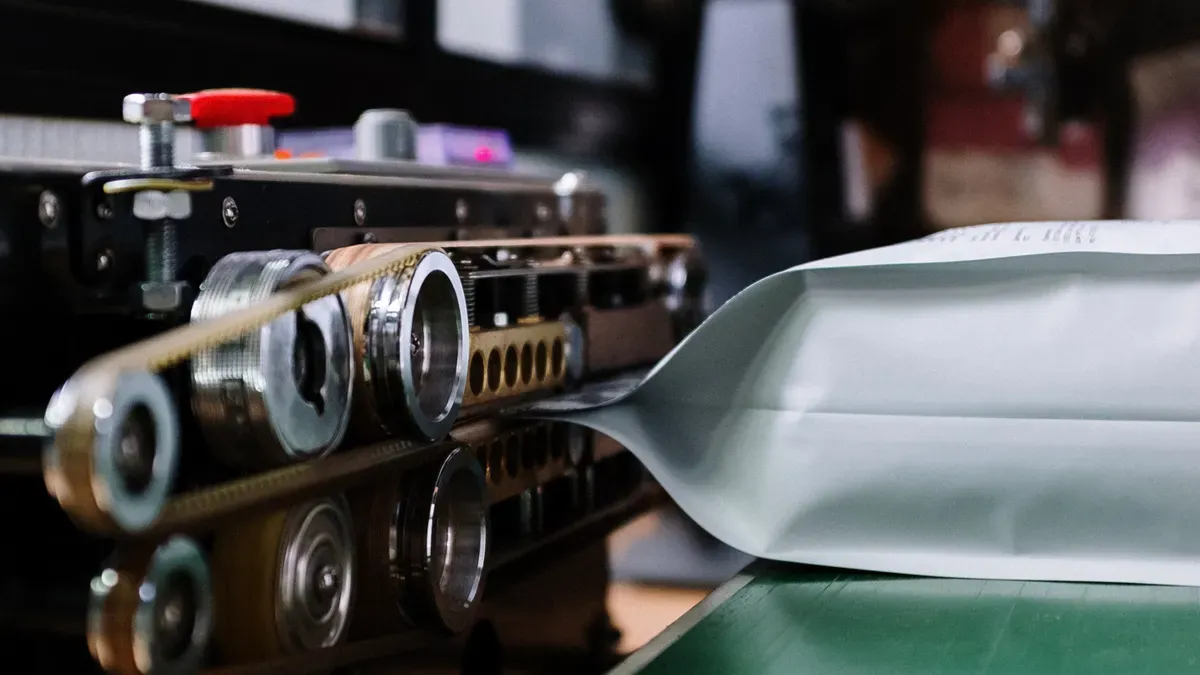
A label die cutting machine lets you cut labels into exact shapes and sizes for different jobs. These machines are used in many industries like:
Printing
Packaging
Electronics
Automotive
Textiles
Healthcare
Promotional products
If you know how the machine works, you can make labels that fit what you need. You will learn why the right label is important for product identification, safety, and branding.
Key TakeawaysA label die cutting machine makes labels in exact shapes and sizes. This helps people know products and makes brands stand out. Regular care, like cleaning and checking the machine, keeps it working well. It also helps make good quality labels. You can pick manual, automatic, or digital die cutting machines. Your choice depends on how many labels you need and your budget. Knowing the difference between flatbed and rotary die cutting is important. It helps you pick the best machine for your labels. Safety features, like emergency stops and guards, are very important. They help keep people safe when using die cutting machines.
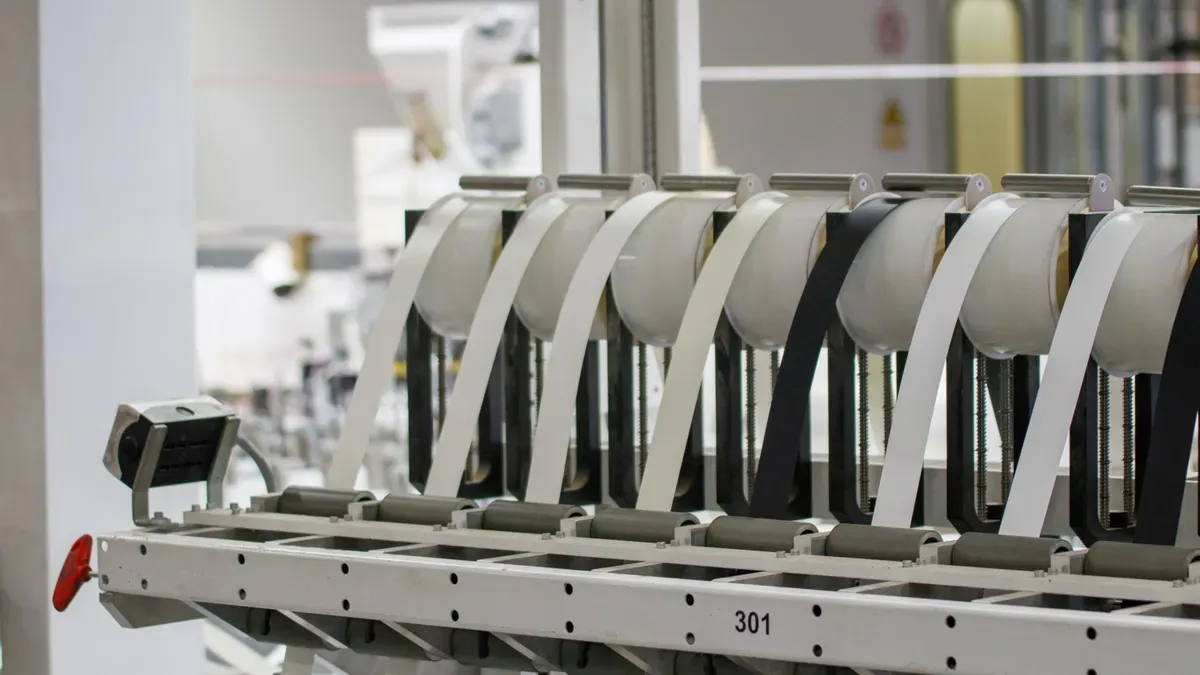
A label die cutting machine helps you cut labels into exact shapes. It works with materials like paper, film, and vinyl. You can make labels for things like products, packages, and electronics. The machine lets you create special shapes and sizes for your needs. It uses a label die, which is a tool that cuts the material into the shape you want. This gives you smooth edges and the same results every time. Many businesses use these machines to make labels for product names and company logos.
You need to be careful when using a label die cutting machine. There are safety features like emergency stop buttons and automatic feeding systems. Guards keep you safe from moving parts. Machines often have a CE mark to show they meet safety rules.
Tip: Always look at the safety features before you use a new machine.
A label die cutting machine has many important parts. Each part helps you make good labels quickly. The table below lists the main parts and what they do:
|
Component |
Function |
|---|---|
|
Dual cutting head |
Cuts faster with two heads you can adjust. |
|
CCD Camera Digital cutting positioning system |
Scans marks to cut in the right place. |
|
User friendly touch screen panel |
Makes the machine easy to use. |
|
Cold lamination |
Makes labels stronger before cutting. |
|
Automatic waste removal and tension system |
Takes away waste paper for clean rolls. |
|
Slitting system |
Cuts label paper into smaller rolls. |
|
Platform for splicing materials |
Helps change rolls without stopping. |
|
U-disk function |
Lets you send files for cutting. |
|
Multiple interface |
Connects to other devices for file sharing. |
|
Easy-to-use software |
Helps cut labels based on file shapes. |
There are also safety features to keep you safe while working:
|
Safety Feature |
Description |
|---|---|
|
Emergency Stop Button |
Easy to find and stops the machine fast. |
|
Automatic Feeding |
Keeps hands away from moving parts. |
|
Guards |
Blocks dangerous parts or stops the machine if needed. |
|
CE Mark and Declaration of Conformity |
Shows the machine follows safety rules. |
If your labels are not cutting right, try these steps:
Clean the machine often to get rid of dust.
Oil the moving parts every month.
Check and fix the cutting blades and die plates.
Calibrate the machine regularly.
Look at the wires and cables.
Teach workers how to use the machine the right way.
You get good labels when you take care of the machine. This helps you avoid mistakes and work faster.
How a Die Cutting Machine Works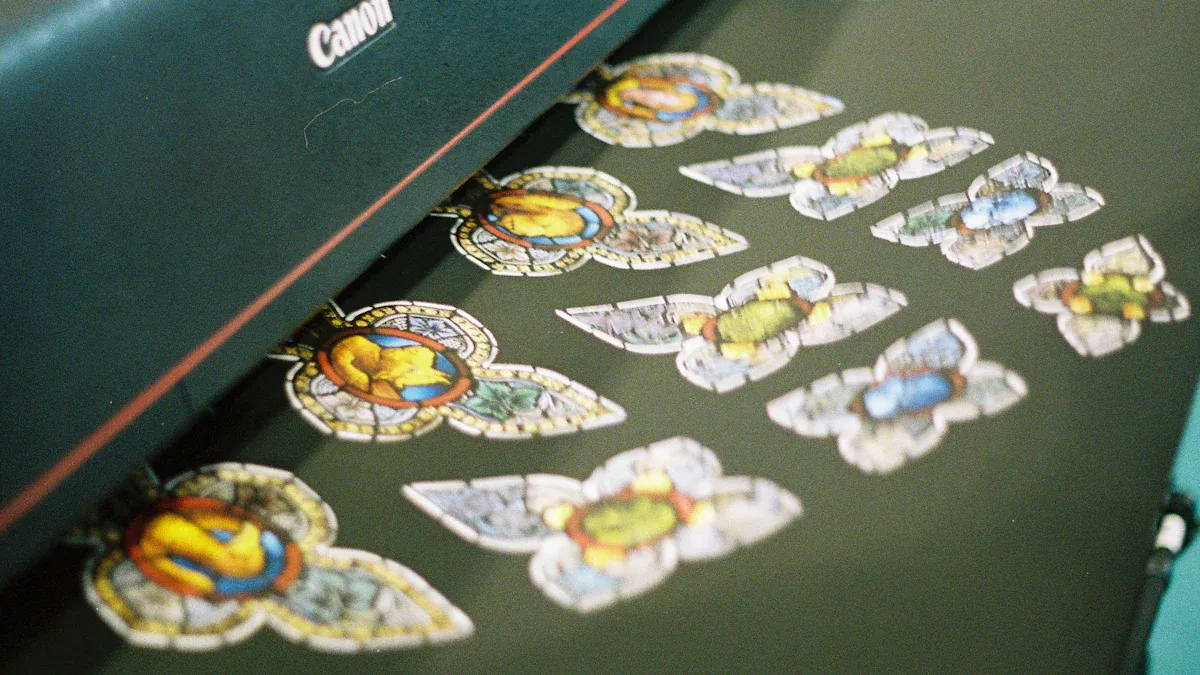
A die cutting machine changes raw materials into labels. First, you load paper or vinyl into the feeding mechanism. This part moves the material forward and keeps it steady. Steel dies cut, shape, or emboss the label material. Pressure pushes the custom blade through the stock and adhesive, but not the liner. This makes the label shape you want.
The machine works in steps. Each part helps make the label right. The table below shows each step and what it does:
|
Step |
Component |
Function |
|---|---|---|
|
1 |
Feeding Mechanism |
Moves label material forward |
|
2 |
First Limiting Component |
Stops material before the first roller group |
|
3 |
First Conveying Roller Group |
Moves material ahead |
|
4 |
Second Limiting Component |
Stops material after the first roller group |
|
5 |
Die-Cutting Mechanism |
Cuts the label material |
|
6 |
Third Limiting Component |
Checks and stops the die-cut label |
|
7 |
Second Conveying Roller Group |
Moves labels to recycling |
|
8 |
Finished Product Recycling Mechanism |
Recycles finished labels |
You get smooth and accurate labels by following these steps. The machine holds the material in place and uses the right pressure. This helps you avoid mistakes and waste.
Note: Always check if the material is straight before cutting. This helps you get the best labels.
You can pick flatbed or rotary die cutting machines. Each type cuts labels in a different way. Flatbed die cutting presses the die down into the material. Rotary die cutting uses cylinders that spin to cut as the material moves.
Flatbed die cutting is good for thick materials and small jobs. It costs less for tools and helps save material by fitting shapes together. Rotary die cutting is fast and very accurate. It works well for thin materials and big jobs. Rotary machines can also print and make holes.
The table below shows how flatbed and rotary die cutting are different:
|
Feature |
Flatbed Die Cutting |
Rotary Die Cutting |
|---|---|---|
|
Speed |
Slower speed |
Faster speed |
|
Accuracy |
Less precise |
More precise |
|
Application |
Good for thick materials and small jobs |
Best for big jobs and many uses |
|
Setup Time |
Takes longer to set up |
Quick to set up |
|
Tooling Costs |
Cheaper tools |
More expensive tools |
|
Waste Reduction |
Can save material by fitting shapes |
Less waste because of nonstop cutting |
Here is how rotary die cutting works:
Put a roll of material on the unwinder.
Use tension controllers to keep the material steady.
Make the die and anvil spin together with pressure.
Cut or kiss-cut the material as it moves through.
Collect finished labels by rolling, stacking, or sending for more work.
Flatbed die cutting is flexible for special shapes and thick materials. Rotary die cutting is fast and makes many labels with high accuracy. Pick the machine that fits your label needs and how many you need to make.
Types of Label Die Cutting MachinesTip: If you need lots of labels fast, use rotary die cutting. For special shapes or thick materials, flatbed die cutting is better.
You can pick manual or automatic machines for making die cut labels. Manual machines are good for small jobs. You move the material and press the die by hand. These machines do not cost much and are simple to use. You can make easy die cut labels, but it takes more time and work. Automatic machines help you make more labels faster. They feed, cut, and remove waste on their own. You just set up the job and watch. Automatic machines cost more at first, but you save on labor and get more done. The table below shows how they are different:
|
Type |
Advantages |
Disadvantages |
|---|---|---|
|
Manual Die-Cutters |
Low cost, easy to use |
Labor-intensive, slow, best for low-volume |
|
Automatic Die-Cutters |
Efficient, high output |
Higher cost, needs more maintenance |
Tip: If you need lots of die cut labels, automatic machines help you save time and work less.
A digital die cutter uses a computer to control the cutting. You do not need a new die for every shape. You can change designs fast and make custom die cut labels easily. Digital machines use lasers or blades for cutting. This gives you very exact cuts. You can make hard shapes and switch jobs quickly. This is good for custom orders and small batches. Digital die cutting can print and cut at the same time. You finish jobs faster and spend less time setting up. Many companies use digital die cutters for special or small jobs.
|
Feature |
Digital Die Cutting |
Traditional Die Cutting |
|---|---|---|
|
Technology |
Computer-controlled tools |
Custom punch block (die) |
|
Output |
Best for intricate, low-volume jobs |
Best for high-volume production |
|
Precision |
High, with laser or blade |
Consistent, less flexible |
|
Customization |
Easy to change shapes |
Hard to change, needs new dies |
Note: Digital die cutting machines help you finish custom die cut label jobs faster and with less setup.
Many industries use die cut labels for different reasons. Food and beverage companies put them on bottles and packages. These labels help show brands and keep things safe. Healthcare uses die cut labels to give important info and protect products. Cosmetics use them for design and to show different items. Logistics and shipping use die cut labels for barcodes and tracking. The table below gives some examples:
|
Industry |
Application Examples |
|---|---|
|
Food & Beverage |
Primary packaging, promotional labels |
|
Pharmaceuticals & Healthcare |
Serialized, security-enhanced labels |
|
Cosmetics & Personal Care |
Design-intensive, variant SKUs |
|
Logistics & Shipping |
Barcode, tracking labels |
You can use a label die cutting machine to make labels for almost any product. Die cut labels help show your brand, keep things safe, and track packages. You can choose manual, automatic, or digital machines for your needs.
Benefits & ConsiderationsA label die cutting machine helps you work faster. Manual cutting takes longer and can cause mistakes. Machines use automation to cut paper and cardstock quickly. You get labels that are very accurate. Your label design stays clear and sharp. Machines can cut thousands of sheets each minute. This saves money on labor and keeps your work steady.
|
Advantage |
Description |
|---|---|
|
High degree of automation |
Less manual work, lower labor costs, steady production. |
|
High-precision die-cutting |
Quality labels with accuracy within millimeters. |
|
Production efficiency |
Cuts thousands of sheets per minute, shortens production time. |
Tip: You get the same results every time you cut paper or cardstock for custom shape labels.
These machines let you make many custom shape labels. They work with paper, vinyl, film, and cardstock. You can make outline cuts, fun shapes, and brand silhouettes. Flexible dies cost less and work for many materials. You can match your label to your product. Custom shape labels help your brand stand out. They solve packaging problems and make products look better.
|
Shape Type |
Description |
|---|---|
|
Contour cuts |
Outline matches a logo or illustration, used for premium labels. |
|
Decorative shapes |
Stars, hearts, banners, used for stickers and holiday packaging. |
|
Custom geometric shapes |
Hexagons, parallelograms, used for modern designs. |
|
Wave or organic edges |
Soft outlines for natural or artisan brands. |
|
Brand silhouettes |
Cut matches the brand mark or product, boosts brand identity. |
|
Materials |
Solid and flexible dies can be used, flexible dies cost less. |
Custom shape labels help your brand look different.
Fit labels to containers to solve packaging problems.
Special label designs make products seem more valuable.
You need to think about costs when buying a label die cutting machine. Labor costs include skilled workers and maintenance. Tooling costs change with your label design and shapes. Paper and cardstock can be expensive. Regular maintenance keeps your machine working well. Cleaning, oiling, sharpening blades, and calibration help avoid waste and keep quality high. If you skip maintenance, repairs cost more and you lose time.
|
Quantity |
Price |
|---|---|
|
1-49 sets |
$73,000 |
|
≥50 sets |
$72,999 |
Clean often to remove dust and glue from paper and cardstock.
Oil moving parts to keep them smooth.
Keep blades and die plates sharp for custom shape labels.
Calibrate to keep your label design accurate.
Check wires to stop machine damage.
Train workers to prevent accidents and keep production safe.
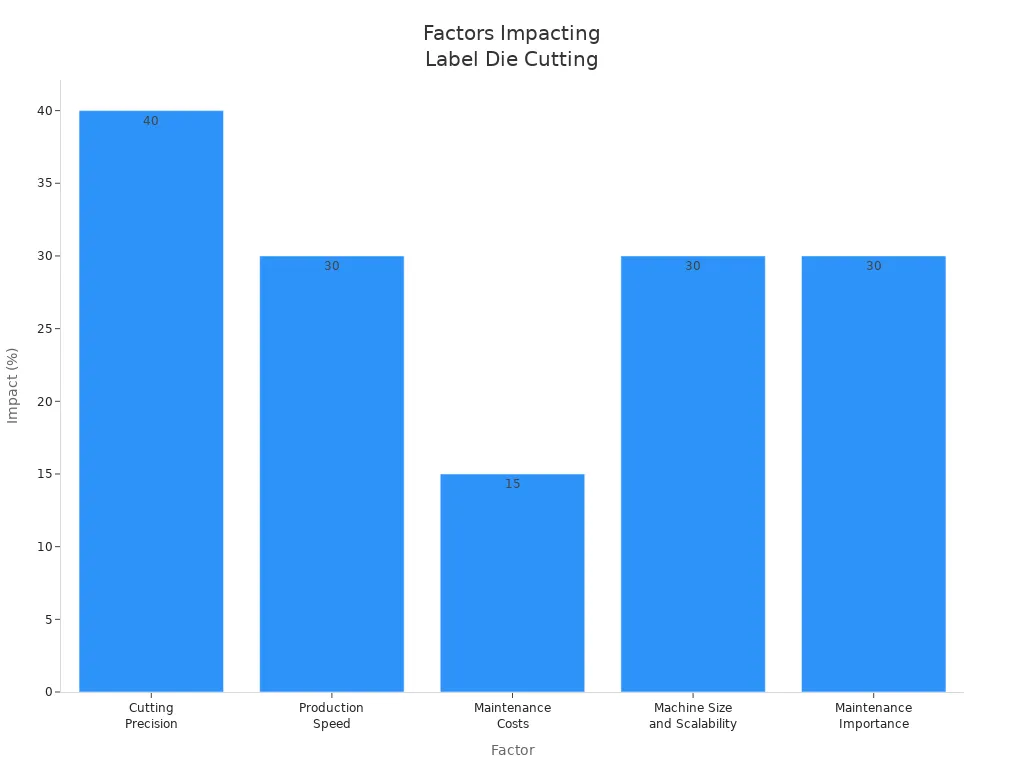
Pick a machine that fits your label needs. Cutting accuracy is important. About 40% of problems come from poor precision. Faster machines make more labels each hour. Maintenance costs go up if workers are not trained. Machine size and ability to grow help your business. Good maintenance stops failures.
|
Factor |
Evidence |
|---|---|
|
Cutting Precision |
40% of problems come from bad cutting accuracy. |
|
Production Speed |
Faster machines make 30% more labels per hour. |
|
Maintenance Costs |
15% higher costs if workers are not trained. |
|
Machine Size and Scalability |
Demand for bigger machines has grown by 30% in five years. |
|
Maintenance Importance |
30% of failures happen because maintenance is skipped. |
Look at how many labels you need and how complex they are. Double stations and rotary systems help with fast jobs. Custom options let you make complex label designs and custom shapes. Strong machines keep your work steady. Laser die-cutting makes less waste and is better for the environment. Quick changeovers help with short jobs and save money.
Note: You get the best results when your machine matches your paper, cardstock, and custom shape label needs.
You can use a label die cutting machine to work faster and make fewer mistakes. The right machine lets you cut many shapes and use different materials. Check the table below to see what is important:
|
Decision Factor |
Why it Matters |
|---|---|
|
Actuation & Architecture |
This changes how fast and costly the machine is. Flatbed machines are flexible. Rotary machines are quick. |
|
Tooling Expenditure |
Digital systems help save money on custom jobs. |
|
Material Versatility |
Pick the right pressure for each type of material. |
|
Waste Stripping |
Automatic waste removal helps keep work smooth. |
One print shop grew quickly by choosing a trusted company. A new business got more value by picking strong equipment. Better metals made the machines break less and work better.
Think about what you need before you buy a machine. Look up machines and suppliers to get the best results for your labels.
FAQYou can use paper, vinyl, film, and cardstock. These machines let you create custom labels for many products. You get clean die cuts and smooth edges. Choose the right material for your cutting needs.
You upload your design to the machine. The die cutting system follows your file and creates custom shapes. You can make die cuts for logos, brand silhouettes, or special labels. Digital machines help you switch designs fast.
The liner protects the adhesive and keeps labels from sticking during die cutting. The die cuts through the stock and adhesive but leaves the liner intact. This helps you peel and apply custom labels easily.
Kiss cutting only cuts the label and adhesive, leaving the liner whole. Full cutting goes through all layers, including the liner. You use kiss cutting for custom stickers and die cut labels. Full cutting works for tags and shapes.
Clean the machine often. Oil moving parts. Sharpen blades and dies. Calibrate for accurate die cuts. Check wires and teach workers safe use. Good care helps you make custom labels and keeps your cutting smooth.
"4mmx2mm Disc Magnet" from S****** received 4 quotation(s)